
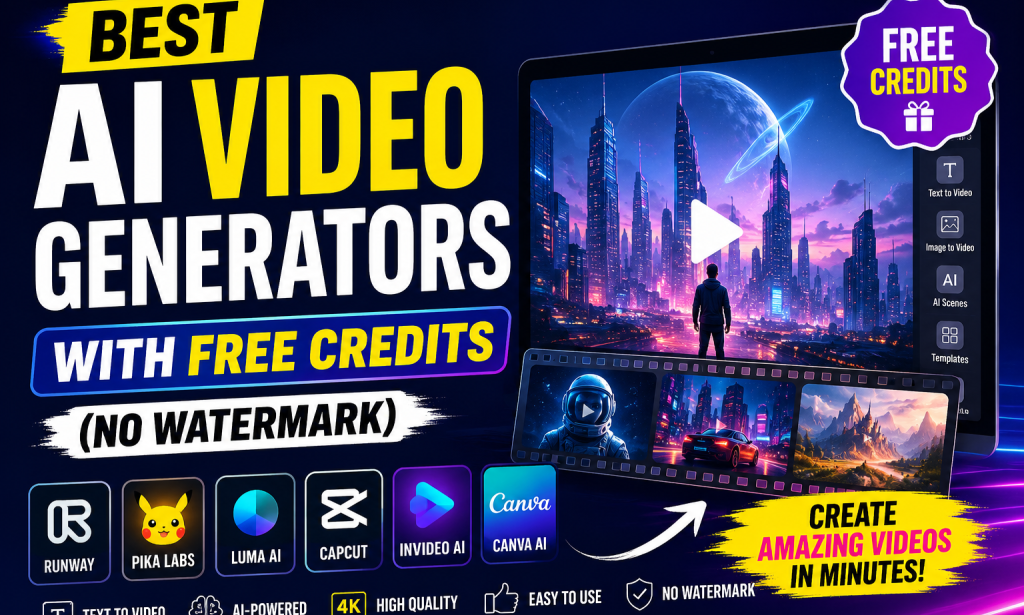
🎬 Introduction: AI Video Creation Is Changing Everything
In 2026, video content has become the most powerful form of communication on the internet. From YouTube to TikTok, Instagram Reels, and even business marketing, video is everywhere.
But here is the problem:
Traditional video production is expensive, time-consuming, and requires editing skills.
That is where AI video generators come in.
These tools allow you to:
- Turn text into videos automatically
- Create animations without editing skills
- Generate cinematic scenes using AI
- Produce marketing videos in minutes
- Save money on production tools
Even better, some platforms now offer free credits and no watermark output, making them perfect for beginners, content creators, and small businesses.
In this guide, you will discover the best AI video generators with free credits (no watermark options), how they work, and which one is best for you.
🤖 What Are AI Video Generators?
AI video generators are tools powered by artificial intelligence that can create videos from:
- Text prompts
- Images
- Scripts
- Audio
- Existing video clips
Instead of manually editing videos, you simply type what you want, and the AI builds it for you.
For example:
“A futuristic city at night with flying cars and neon lights”
The AI will generate a video scene based on that description.
💡 Why AI Video Generators Are So Popular
There are 5 major reasons they are exploding in popularity:
1. No Editing Skills Needed
Anyone can create videos without experience.
2. Saves Time
What normally takes hours can be done in minutes.
3. Low Cost
Many tools offer free credits to start.
4. High Quality Output
AI-generated videos now look cinematic and professional.
5. Perfect for Social Media Growth
Creators use them for TikTok, YouTube Shorts, ads, and marketing.
🏆 Best AI Video Generators with Free Credits (No Watermark Options)
Below are the top AI tools you can use in 2026.
🎥 1. Runway ML
⭐ Overview
Runway ML is one of the most powerful AI video generation tools available today. It is widely used by filmmakers, YouTubers, and digital artists.
🔥 Key Features
- Text-to-video generation
- Image-to-video animation
- Advanced AI editing tools
- High-quality cinematic output
- Green screen AI removal
💰 Free Credits
Runway offers free trial credits for new users, allowing you to test video generation before upgrading.
🚫 Watermark
Free plan outputs may include limitations, but some trial exports can be tested without visible watermark depending on promotion periods.
🎯 Best For
- Content creators
- Short films
- YouTube videos
- Creative storytelling
🎬 2. Pika Labs
⭐ Overview
Pika Labs is one of the fastest-growing AI video tools known for creating highly stylized and animated videos from text prompts.
🔥 Key Features
- Text-to-video generation
- Cinematic animation styles
- Fast rendering speed
- Discord-based creation system
💰 Free Credits
Pika often provides free daily credits for users to generate short clips.
🚫 Watermark
Many outputs during free usage are watermark-free or minimally branded depending on version updates.
🎯 Best For
- TikTok creators
- Animation lovers
- Storytelling videos
- Social media content
🎞️ 3. Luma AI Dream Machine
⭐ Overview
Luma AI has gained massive attention for producing realistic, high-motion cinematic videos using AI.
🔥 Key Features
- Hyper-realistic video generation
- Smooth camera motion simulation
- High-resolution output
- Text-to-video capability
💰 Free Credits
Luma AI offers limited free generations for new users.
🚫 Watermark
Some free outputs may be clean depending on the generation mode.
🎯 Best For
- Cinematic creators
- Realistic AI scenes
- Product marketing videos
✂️ 4. CapCut
⭐ Overview
CapCut is one of the most popular free video editing apps with powerful AI features built in.
🔥 Key Features
- AI video generation tools
- Auto captions
- Templates for social media
- Background removal
- Text-to-video features
💰 Free Credits
CapCut is mostly free with many AI tools available at no cost.
🚫 Watermark
Most exports are completely watermark-free, especially for standard videos.
🎯 Best For
- TikTok videos
- YouTube Shorts
- Beginner editors
- Mobile creators
🎬 5. InVideo AI
⭐ Overview
InVideo AI is designed for marketers and content creators who want fast video production.
🔥 Key Features
- Script-to-video conversion
- Stock footage library
- AI voiceovers
- Automated scene creation
💰 Free Credits
InVideo provides free monthly exports with limited credits.
🚫 Watermark
Free plan includes watermark, but trials sometimes offer watermark-free testing.
🎯 Best For
- Marketing videos
- Ads creation
- Business presentations
🎨 6. Canva (AI Video Features)
⭐ Overview
Canva is not only for design anymore—it now includes AI video generation features.
🔥 Key Features
- Drag-and-drop video editor
- AI-powered video tools
- Templates for social media
- Stock videos and music
💰 Free Credits
Canva offers a generous free plan with AI features included.
🚫 Watermark
Most basic video exports are watermark-free.
🎯 Best For
- Beginners
- Business branding
- Social media posts
📊 Comparison Table of AI Video Tools
| Tool | Free Credits | Watermark-Free | Best Use |
|---|---|---|---|
| Runway ML | Yes | Limited | Cinematic videos |
| Pika Labs | Yes | Mostly | Animation & shorts |
| Luma AI | Yes | Partial | Realistic scenes |
| CapCut | Yes | Yes | Social media |
| InVideo AI | Yes | No (mostly) | Marketing |
| Canva | Yes | Yes | Design videos |
🚀 How to Choose the Best AI Video Generator
Choosing the right tool depends on your goal:
🎯 For Beginners:
Use CapCut or Canva
🎯 For Viral TikTok Content:
Use Pika Labs
🎯 For Cinematic Videos:
Use Runway ML or Luma AI
🎯 For Business Marketing:
Use InVideo AI
💡 Tips to Get the Best Results from AI Video Tools
1. Use Clear Prompts
Instead of:
“a man walking”
Say:
“a cinematic shot of a man walking through a rainy neon-lit street at night”
2. Keep Videos Short
AI works best with 5–15 second clips.
3. Combine Tools
Use:
- Runway for generation
- CapCut for editing
4. Add Music and Voiceovers
This increases engagement dramatically.
5. Focus on Storytelling
Even AI videos need a story to go viral.
📈 Future of AI Video Generation
AI video technology is improving rapidly. In the near future, we will see:
- Full movie generation from text
- Real-time AI video editing
- Personalized AI actors
- Instant ad creation for businesses
- Zero-cost professional video production
This means content creation will become more accessible than ever before.
🧠 Final Thoughts
AI video generators are no longer just experimental tools—they are now essential for creators, marketers, and businesses.
If you are starting out, you don’t need expensive software or editing skills. With tools like:
- Runway ML
- Pika Labs
- Luma AI
- CapCut
- InVideo AI
- Canva
…you can start creating professional videos immediately with free credits.
The key is to experiment and find the tool that fits your creative style.
🔥 Conclusion
If your goal is to grow on YouTube, TikTok, or Instagram in 2026, AI video generators are one of the fastest ways to succeed.
Start with free tools, test different styles, and scale your content production.


You must be logged in to post a comment.