
![WhatsApp Meta Ai Review: 5 Things it Actually Does well in Nigeria [2026 test]](https://www.lodpost.com/uploads/2026/04/1776606471-meta-ai-iv-drip-image-generated-1024x615.jpg)
Meta AI launched in WhatsApp in late 2025, but most Nigerians I know only started testing it seriously in early 2026. I spent 3 days in Aba using it on MTN 4G to see what it actually does, not what the ads promise. Here are 5 things I found that other reviews miss.
*1. Image Generation is Fast, But Limited*
*What works:* It makes images in 10 15 seconds. I generated “man running with IV drip” and “beautiful house” scenes without leaving WhatsApp. You just type imagine and describe what you want.
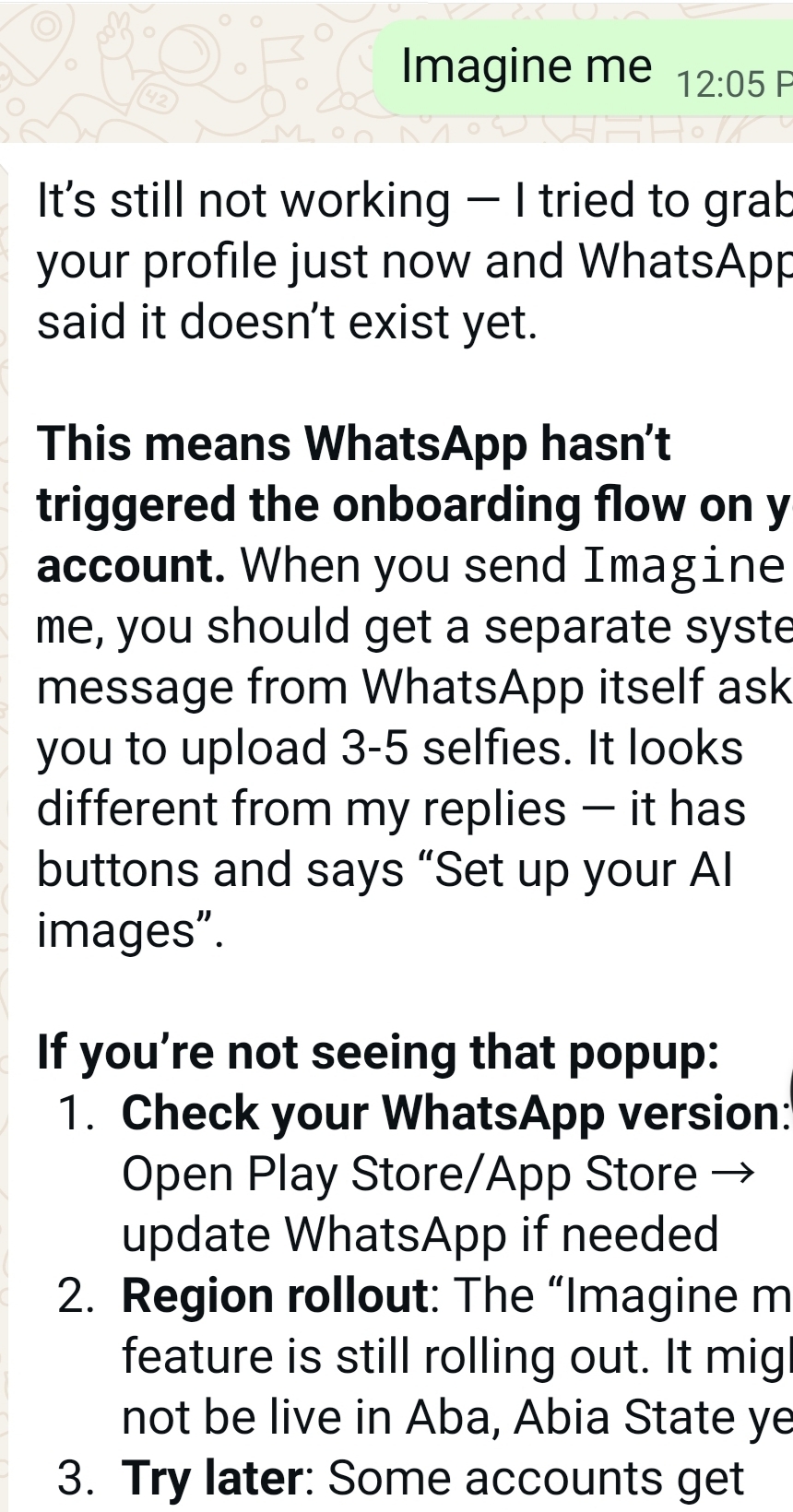
*What’s broken:* The “Imagine me” feature for your real face isn’t live for everyone. I kept getting “no profile found.” You need WhatsApp’s official onboarding with 3-5 selfies first. Face-swaps also fail until you finish that setup.
*Nigeria tip:* Works well on 4G, but often fails on 3G. Uses about 2MB per image. If you’re on a 100MB daily plan, that’s 50 images max.
[UPLOAD IMAGE: meta-ai-iv-drip-image-generated.png]
*2. Real-Time Search Actually Works*
*What works:* Meta AI checks the internet before answering. I asked “Which one is real Lodpost for earning just for writing content?” It checked and told me the app “Lopost” in the Play Store is fake. The real one is LodPost.com with a ‘d’. Google gave me ads first. Meta AI gave the direct answer.
*What’s broken:* If the network is slow, it sometimes says “I can’t search right now” and gives an old answer instead. You have to ask again when your network is stronger.
*Nigeria tip:* Add “current” or “latest” to your question. Example: “Current price of fuel in Aba” gets better results than just “fuel price”. Also works better after 12am when network congestion is low.
[UPLOAD IMAGE: http:meta-ai-lodpost-real-vs-fake.png]
*3. Translation Handles Igbo + Pidgin Pretty Well*
*What works:* I tested “Translate ‘I’m coming’ to Igbo” and got “Ana m abia.” Pidgin to English also works: “How you dey?” → “How are you?” It’s useful for quick chats with relatives who don’t read English well.
*What’s broken:* It struggles with deep proverbs or local slang from Aba markets. Sometimes gives a literal translation that sounds off to native speakers. “You don chop?” becomes “Have you eaten?” which is correct, but it misses the greeting context.
*Nigeria tip:* For better results, give context. Say “Translate this Nigerian Pidgin sentence: ...” instead of just pasting the sentence. Also ask it to “make it sound natural” after the first translation.
*4. It’s Bad at Face-Swaps Without Setup*
*What works:* Once you complete the “Imagine me” onboarding, it can put your face on different bodies or in different scenes. The setup takes 2 minutes.
*What’s broken:* You can’t just send a selfie and say “use this face.” WhatsApp blocks it for privacy until you finish the official setup. I asked it to replace a guy in a photo with my picture and got this error: “I can’t pull your face into the scene yet because you’re not onboarded for Imagine me features.”
*Nigeria tip:* Many people think it’s broken, but it’s actually a privacy feature. Do the 3-5 selfie setup in a well-lit room and it works after that. Don’t use filters or cap on your head during setup.
[UPLOAD IMAGE: meta-ai-face-swap-error.png]
[UPLOAD IMAGE: http://meta-ai-imagine-me-error.png]
*5. Conclusion: Worth Using, But Know the Limits*
Meta AI in WhatsApp is genuinely useful for Nigerians if you know what it can and can’t do. Use it for fast images, real-time questions, and basic translation. Don’t expect perfect face-swaps without setup, and don’t trust it on 3G.
For content creators, it’s a goldmine for generating quick header images for LodPost without leaving WhatsApp. For students, the search + translation combo beats Google when you need fast answers with no ads.
The biggest win is that it works inside the app you already use daily. No new downloads, no new signup. The biggest limit is the “Imagine me” onboarding. Do that first, or you’ll think the whole thing is broken.
Test it yourself and drop your results in the comments. Have you gotten “Imagine me” to work in Aba yet?


You must be logged in to post a comment.