
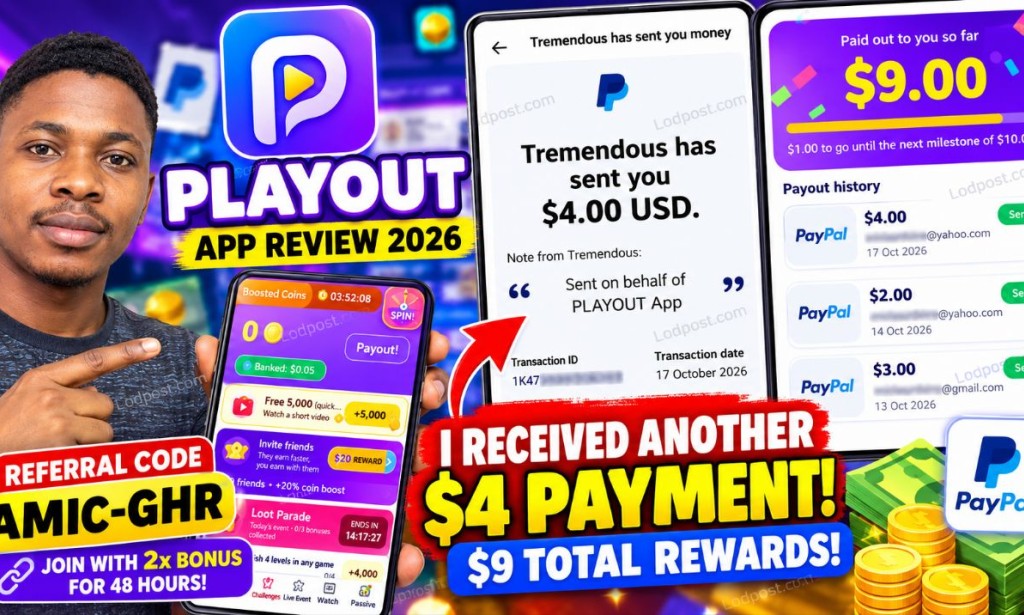
Playout App Review: I Received Another $4 Reward Without Playing Games — My Referral Strategy Explained
I have another Playout update to share! On October 17, 2026, my account displayed a new $4 reward. In this article, I explain what the payout records show, how the referral system works, and the method I am focusing on instead of spending hours playing games.
Author: Amica Review
Updated: October 17, 2026
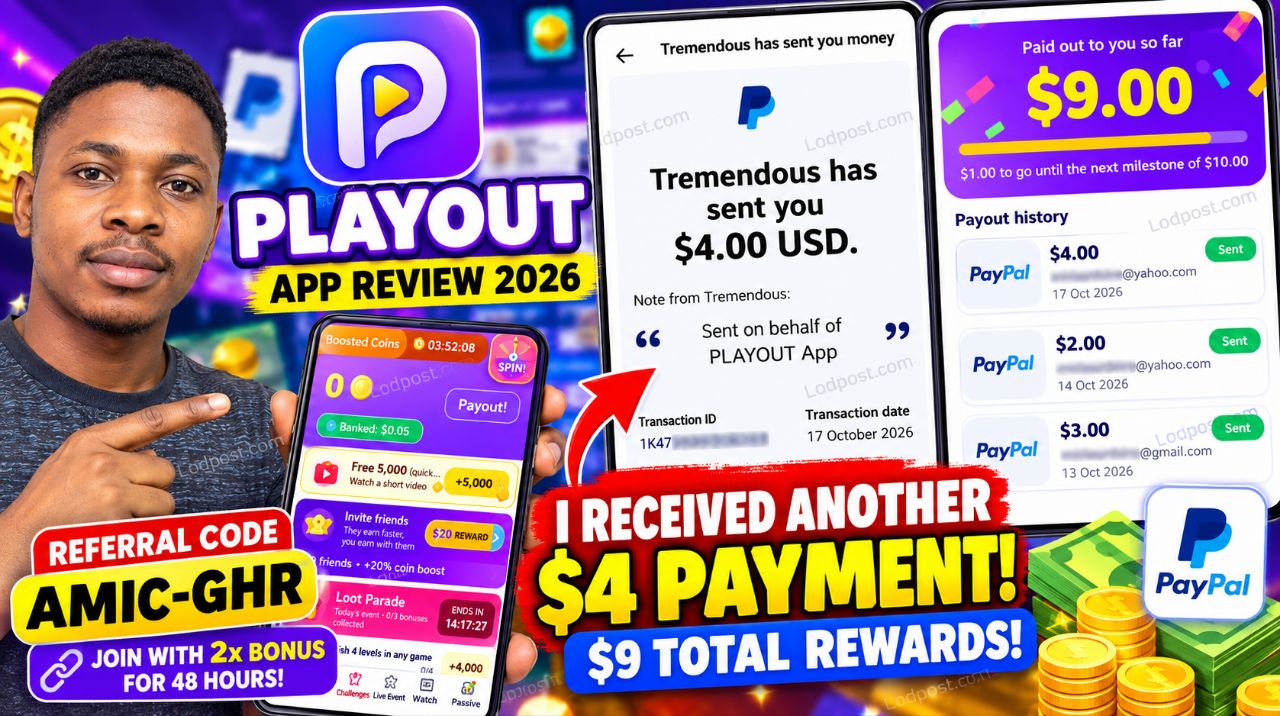
Table of Contents
- Introduction
- My latest $4 reward
- What is Playout?
- How does Playout work?
- The referral method I use
- Understanding the seven milestones
- Step-by-step referral tutorial
- Tips for attracting referrals
- Playout withdrawals and payment evidence
- Risks and limitations
- How to join Playout
- My final verdict
Join me on Playout with my code AMIC-GHR and start with 2x coin bonus for 48 hours!
1. Introduction: My New Playout Update
Hello everyone, welcome back to Amica Review!
If you have been following my online earning updates, you already know that I like investigating websites and apps that claim to reward users for completing simple activities. This time, I am returning with another update about Playout: Earn Money.
I previously discussed how Playout combines mobile games, challenges, bonuses, and referrals. Now, I have another reward to report. My account displays a $4 reward dated October 17, 2026.
What makes this update interesting is my approach. I am focusing on the referral system rather than spending my time playing the games myself.
In this tutorial, I will explain what I am doing, what the app's referral dashboard displays, and how interested users can explore the same opportunity without paying to join.
2. My Latest $4 Playout Reward
Let us start with the payment evidence because this is what prompted me to write this update.
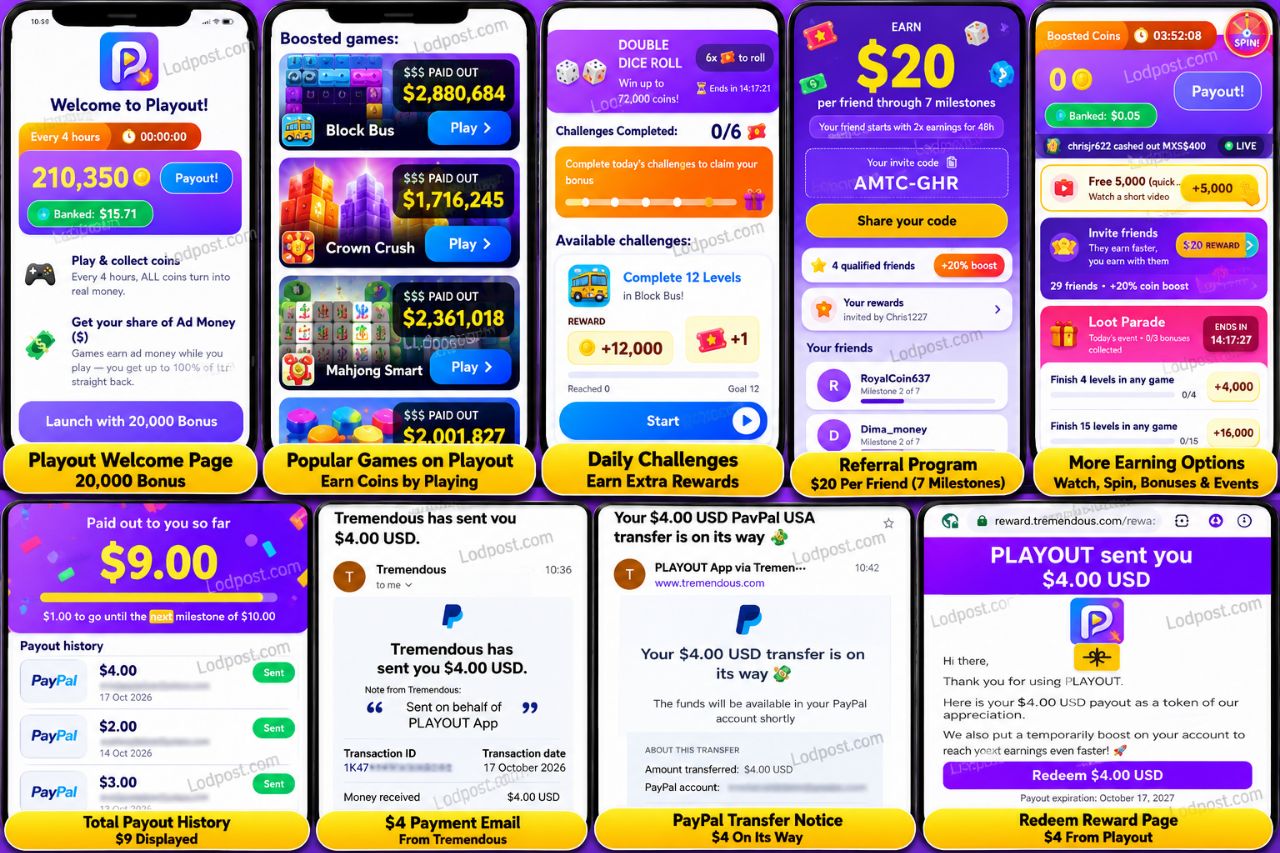
My Playout payout-history screen shows three reward entries:
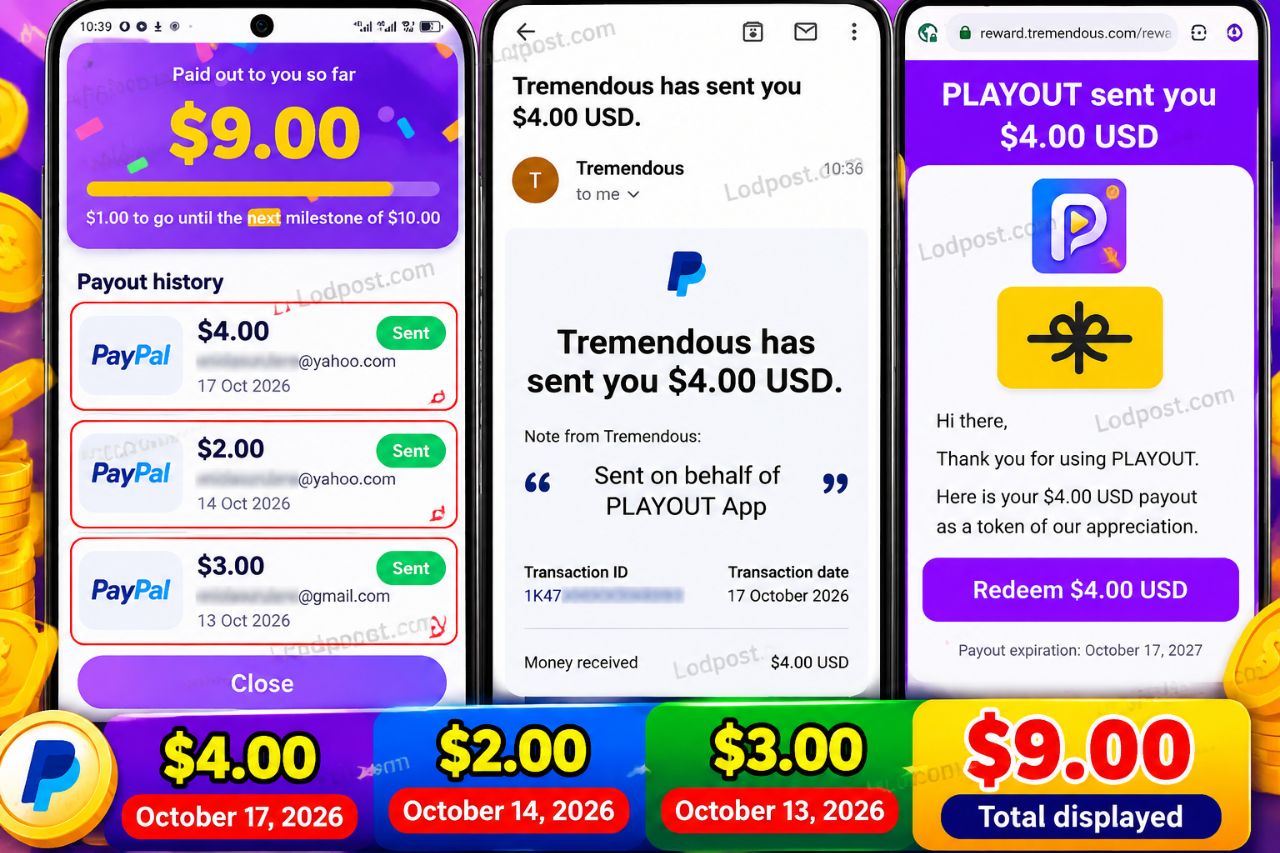 My Playout payout-history screen. Personal account details have been blurred for privacy.
The latest entry is marked Sent. I also received a message through Tremendous stating that Playout had sent a $4 reward. The related message says the PayPal transfer was on its way.
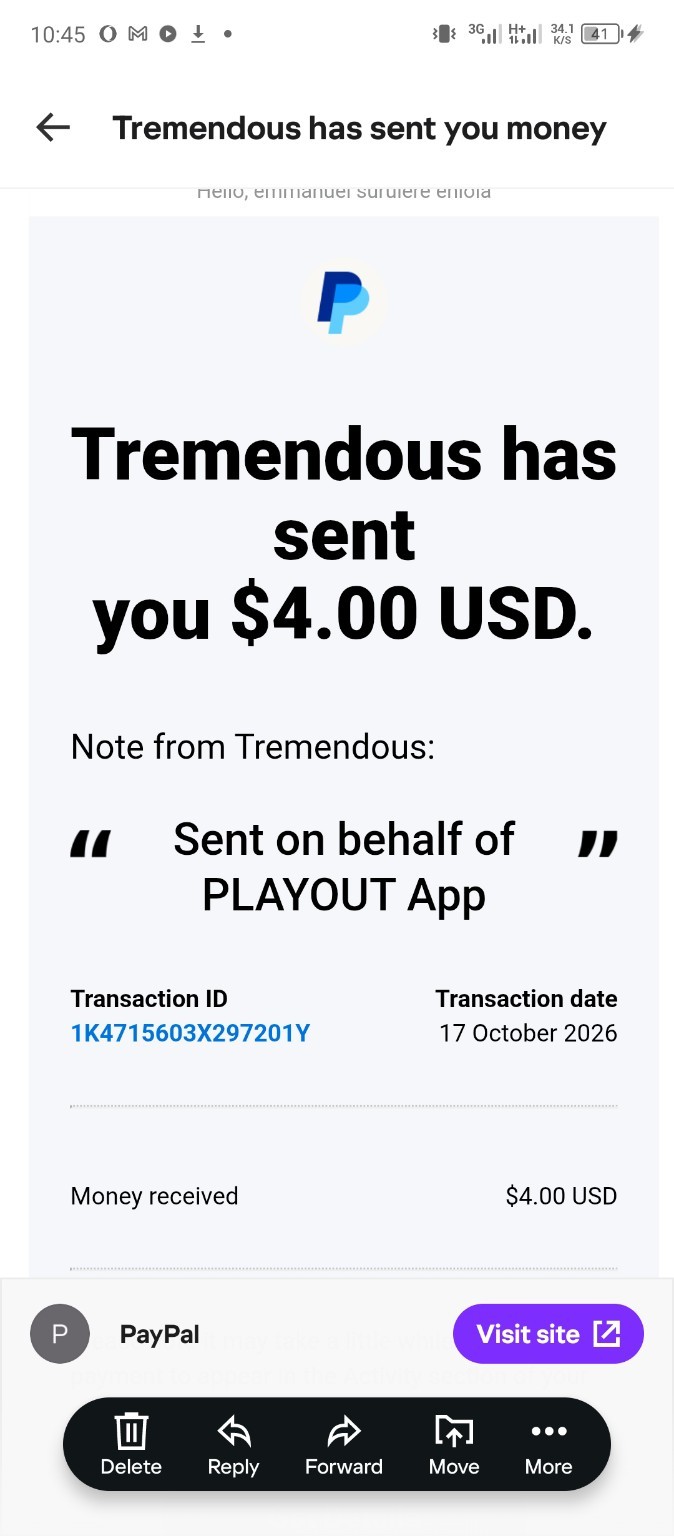 The reward-provider message identifies the $4 reward as being sent on behalf of Playout. Sensitive details have been obscured. The reward email provides a redemption button for the $4 reward.
One important detail is that the reward process includes a redemption step. If you receive a similar reward, follow the instructions in your own email and check your PayPal account to confirm the final status.
3. What Is Playout?
Playout is a mobile rewards app that combines casual games with coin collection, challenges, video rewards, bonuses, and referrals. The interface includes a Home section, Challenges, Live Event, Watch, and other reward-related sections.
Users can explore games displayed in the app, complete eligible challenges, watch videos where offered, and collect coins. The app also advertises a referral system through which users can invite friends and potentially earn rewards as those friends progress.
The referral screen I reviewed advertises up to $20 per friend through seven milestones. It also says that an invited friend starts with 2× earnings for 48 hours.
These are the terms advertised on the screen, not a guarantee that every person who joins will immediately receive $20.
4. How Does Playout Work?
From the features displayed in the app, the main activities include:
- Playing games: Browse the available games and participate in eligible activities.
- Completing challenges: Finish specified levels or other tasks to qualify for the listed rewards.
- Watching videos: The app displays video-based reward opportunities.
- Collecting coins: Earn coins through activities supported by the app.
- Using bonuses: Participate in promotional events and eligible bonus offers.
- Inviting friends: Share your referral code and track qualifying progress.
- Redeeming rewards: Follow the available reward and payment instructions when eligible.
Although the app provides several ways to participate, my current focus is the referral system. I am not claiming that I earned the $4 exclusively from a particular referral unless the app's records explicitly establish that connection.
5. The Referral Method I Am Using
This is the main lesson I want readers to understand.
I am focusing on inviting interested users instead of spending hours playing games. I share my invitation link, explain what Playout offers, and encourage people to examine the app's conditions before joining.
The referral dashboard provides a place to see invited friends and their progress through the milestones. This is useful because the advertised referral reward is linked to a sequence of milestones rather than simply to the act of sharing a link.
For example, the dashboard displays invited users at milestone 2 of 7. That tells me that referral progress can continue after registration and that the full reward should not be assumed to arrive immediately.
6. Understanding the Seven Referral Milestones
The Playout referral page advertises a reward of up to $20 per friend through seven milestones. It also displays the introductory 2× earnings bonus for 48 hours.
Before sharing any referral offer, I recommend checking the milestone requirements inside your account.
- Open the referral or Invite Friends section.
- Review the advertised reward and the milestone information.
- Check the progress displayed for each invited friend.
- Read any instructions explaining the activity required to qualify.
- Check your reward history to see whether a milestone reward has been credited.
Do not assume that all seven milestones are completed simply because a friend registers. The screenshots show milestone tracking, but they do not display every condition for all seven stages.
7. Step-by-Step: How to Try My Referral Approach
Step 1: Download the official app
Find Playout through its official app-store listing or another verified source. Avoid modified APKs and unknown download websites.
Step 2: Register using an invitation link
If you are new to Playout, follow the referral link below. Confirm that the referral code has been applied correctly during registration.
Step 3: Check the introductory bonus
My referral screen advertises a 2× earnings bonus for 48 hours. Read the current terms in your own account and note when the promotional period begins and ends.
Step 4: Learn the referral conditions
Open the Invite Friends section and examine the advertised reward, milestone progress, and any qualifying requirements. This helps you explain the opportunity accurately to other people.
Step 5: Share useful information
Rather than posting the same link everywhere, create a helpful explanation of how the app works. Describe the games, referral system, bonus, and limitations so people can decide whether they want to participate.
Step 6: Track your referrals
Return to the referral dashboard to review the progress displayed for your invited friends. Do not count an advertised maximum reward as money earned until the app confirms that you have qualified.
Step 7: Verify each reward
If a reward becomes available, follow the instructions in Playout and any message from its reward provider. Check the final payment status before recording it as received.
8. Tips for Attracting Referrals Without Spamming
- Write a genuine review. Explain what the app offers and what you have actually observed.
- Be honest about the reward. Describe the $20 figure as an advertised reward spread across seven milestones.
- Explain the bonus conditions. Mention the 2× earnings offer for 48 hours, but tell readers to check the current terms.
- Use a tutorial. Walk readers through the referral page and show them where to check their progress.
- Answer questions. Help people understand the app before they register.
- Keep payment records. Record the date, amount, displayed status, redemption instructions, and final payment confirmation.
- Avoid fake accounts. Do not create artificial referrals or use misleading claims to inflate your results.
- Never promise guaranteed income. Other users may have different results or may not qualify for the same rewards.
My advice is to treat referral promotion like sharing a useful app with an audience, not like a promise that everyone who joins will make money.
9. Playout Withdrawals and Payment Evidence
The records shown in my account provide the following information:
| Detail | Information displayed |
|---|---|
| Latest reward | $4.00 USD dated October 17, 2026 |
| Earlier reward | $2.00 USD dated October 14, 2026 |
| Earlier reward | $3.00 USD dated October 13, 2026 |
| Total shown | $9.00 USD |
| Reward provider | Tremendous |
| Payment method shown | PayPal transfer |
| Additional action | The reward email includes a redemption button |
These details describe my displayed records. They should not be interpreted as a universal minimum withdrawal amount or a promise that every user will receive a payment on the same schedule.
10. Risks and Limitations You Should Understand
Referral rewards are conditional
The advertised $20 reward is associated with seven milestones. The full conditions are not visible in the information presented here, so users should inspect the current terms in the app.
Reward messages can describe a payment in progress
A reward marked “Sent” and an email saying that a transfer is on its way are useful records, but it is sensible to verify the final credit in your payment account.
Offers can change
Promotional bonuses, available games, eligibility requirements, and reward conditions may change. Always use the current information shown in your account.
Referral income is not guaranteed
Results depend on the people you invite, their qualifying activity, and Playout's rules. Sharing a link alone does not guarantee the advertised maximum reward.
11. Join Playout With My Referral Code
🎮 Try Playout
If you want to explore the app yourself, you can use my invitation link below.
Referral code: AMIC-GHR
The invitation screen advertises a 2× earnings bonus for 48 hours for a new friend, subject to the current terms.
12. My Final Verdict: Does Playout Work?
Based on the records from my own account, Playout has displayed multiple reward entries, including the $4 reward dated October 17, 2026. The accompanying Tremendous message identifies the reward as being sent on behalf of Playout and describes the PayPal transfer as being on its way.
The approach I am focusing on is referrals rather than spending hours playing games. The app advertises a reward of up to $20 per friend through seven milestones, plus a 2× earnings bonus for 48 hours.
However, these advertised rewards are not guaranteed income. Users should understand the milestone conditions, track their progress, and verify each reward before counting it as received.
My conclusion as Amica Review: Playout is worth examining if you enjoy rewards apps and want to explore its referral system. Start without paying money, read the rules, keep records, and approach the opportunity with realistic expectations.
Disclosure: This article contains my referral link. The payout and reward information comes from the Playout account screens and reward-provider messages described above. Referral rewards, eligibility, and processing times can change. This review shares my experience and does not guarantee income for other users.


You must be logged in to post a comment.