
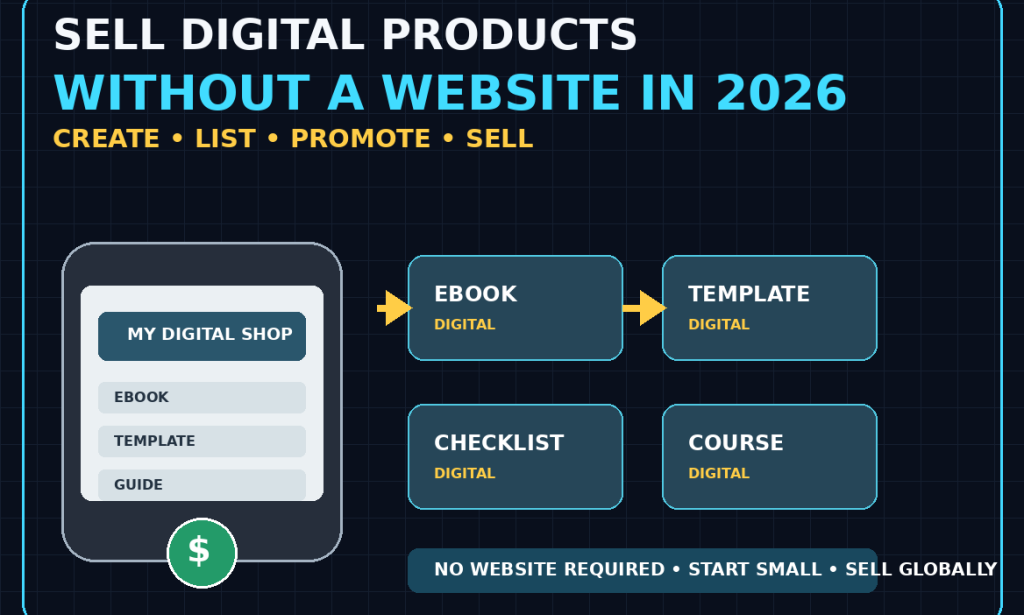
How to Sell Digital Products Online Without Creating a Website in 2026
A Complete Beginner's Guide
Selling digital products can be one of the simplest ways to start an online business.
Unlike physical products, digital products don't need to be manufactured, packaged, stored in a warehouse, or shipped to customers.
A single digital product can potentially be sold repeatedly to customers around the world.
And here's another important advantage:
You don't necessarily need your own website to get started.
In 2026, creators can use online marketplaces, digital-product platforms, social media, payment tools, email, and other services to sell products without first building a traditional website.
That makes the process much more accessible to beginners.
You can start with a simple product, test whether people want it, and build a larger business later.
Here's how to do it.
What Is a Digital Product?
A digital product is something customers can purchase and receive electronically.
Examples include:
-
Ebooks
-
Templates
-
Checklists
-
Planners
-
Guides
-
Worksheets
-
Digital artwork
-
Presets
-
Fonts
-
Educational resources
-
Spreadsheet templates
-
Presentation templates
-
Printable materials
-
Online courses
-
Audio files
-
Software
-
Design resources
The exact products you can sell depend on the platform and its policies.
The important thing is that the customer receives a digital item rather than a physical package.
Why Sell Digital Products Without a Website?
Creating a website can be useful.
But it isn't always the first thing you need.
A website may require:
-
A domain
-
Hosting
-
Design
-
Maintenance
-
Security
-
Payment integration
-
Technical setup
A marketplace or digital-product platform can handle some of these functions for you.
That means you can concentrate on the most important part:
creating something people actually want.
Step 1: Choose a Problem to Solve
Don't begin by asking:
"What digital product can I make?"
Instead ask:
"What problem can I help someone solve?"
This change in thinking can make product creation much easier.
For example:
Problem: Someone struggles to organize their monthly budget.
Product: A simple budgeting spreadsheet.
Problem: A job seeker doesn't know how to organize a resume.
Product: A professional resume template.
Problem: A student struggles to plan study sessions.
Product: A study planner.
Problem: A small business owner doesn't know what to post on social media.
Product: A social media content calendar.
A good product starts with a real need.
Step 2: Choose a Niche
You don't necessarily need to target everyone.
Choose a group of people with a specific problem or interest.
Examples:
-
Students
-
Job seekers
-
Freelancers
-
Small businesses
-
Content creators
-
Teachers
-
Parents
-
Fitness enthusiasts
-
Travelers
-
Photographers
-
Designers
-
Writers
-
Entrepreneurs
-
Personal finance beginners
The more clearly you understand the audience, the easier it becomes to create a useful product.
Step 3: Find Problems People Already Have
You don't have to guess what people need.
Look for questions and complaints online.
Places to research include:
-
Reddit
-
YouTube comments
-
Quora
-
Facebook groups
-
Online communities
-
Product reviews
-
Search suggestions
-
Forums
-
Social media comments
Look for repeated questions.
If many people are asking the same thing, that may indicate a useful problem to solve.
Step 4: Look for Existing Products
Search digital-product marketplaces and other online platforms.
See what people are already selling.
This isn't about copying someone else's product.
Instead, study:
-
What categories are popular?
-
What problems are being solved?
-
What formats are common?
-
What price ranges exist?
-
What do customers complain about?
-
What appears to be missing?
Competition can actually be useful.
It can demonstrate that people are already willing to spend money in that category.
Step 5: Find a Gap
Once you understand existing products, look for ways to make yours different.
For example, instead of creating:
Generic Budget Planner
you could create:
Simple Budget Planner for Freelancers With Irregular Income
Instead of:
Social Media Template Pack
you could create:
30-Day Social Media Templates for Local Service Businesses
Specific products can be easier to position because the intended customer is clearer.
Step 6: Start With a Simple Product
Don't try to create a massive product immediately.
Your first product could be:
-
A 10-page guide
-
A checklist
-
A simple spreadsheet
-
A small template pack
-
A planner
-
A short ebook
-
A collection of useful resources
The goal is to learn the process.
You can create larger products after you understand what customers want.
Step 7: Create an Ebook
Ebooks remain one possible digital-product format.
An ebook could teach:
-
A skill
-
A process
-
A hobby
-
A system
-
A specific solution
-
A beginner's guide
For example:
How to Start a Home Garden
could become a structured beginner guide covering:
-
Planning
-
Equipment
-
Seeds
-
Soil
-
Planting
-
Maintenance
-
Common mistakes
The key is to make the ebook useful rather than simply long.
Step 8: Create Templates
Templates can save people time.
Examples include:
-
Resume templates
-
Budget templates
-
Invoice templates
-
Presentation templates
-
Social media templates
-
Planning templates
-
Spreadsheet templates
-
Content calendars
-
Business documents
A good template should be easy for the buyer to understand and customize.
Step 9: Create Checklists
Checklists are simple but useful.
Examples:
Travel Packing Checklist
New Business Launch Checklist
Job Application Checklist
YouTube Video Checklist
Home Cleaning Checklist
Website Launch Checklist
The best checklists help people avoid forgetting important steps.
Step 10: Create Planners
Digital planners can be useful for organization.
Examples:
-
Daily planner
-
Weekly planner
-
Monthly planner
-
Study planner
-
Project planner
-
Content planner
-
Fitness planner
-
Financial planner
Make the planner simple enough that people actually want to use it.
Step 11: Create Spreadsheet Products
If you're comfortable with spreadsheets, this can be an interesting category.
You could create:
-
Budget trackers
-
Expense trackers
-
Inventory sheets
-
Content calendars
-
Project trackers
-
Goal trackers
-
Business calculators
-
Planning systems
Make sure your formulas work correctly before selling the product.
Step 12: Use Tools You Already Have
You don't necessarily need expensive software.
Depending on your product, you may be able to use:
-
Google Docs
-
Google Sheets
-
Google Slides
-
Canva
-
Spreadsheet software
-
Presentation software
-
Basic image editors
-
Mobile editing apps
Start with tools you understand.
Step 13: Make the Product Look Professional
Your product doesn't need to be luxurious.
It does need to be usable.
Check:
-
Spelling
-
Formatting
-
Instructions
-
Page layout
-
Links
-
File names
-
Images
-
Navigation
-
Compatibility
Imagine you are the customer.
Would you know what to do immediately after downloading it?
If not, improve the instructions.
Step 14: Create a Preview
Potential buyers can't physically inspect a digital product.
Give them enough information to understand what they're buying.
Your preview might show:
-
Product screenshots
-
Example pages
-
Template examples
-
A table of contents
-
Features
-
Instructions
-
Sample pages
Don't reveal the entire product.
Show enough to demonstrate its quality and usefulness.
Step 15: Choose Where to Sell
You have several options.
You could use:
-
Digital-product marketplaces
-
Creator storefronts
-
Online course platforms
-
Design marketplaces
-
E-commerce platforms
-
Social-commerce tools
-
Payment platforms that support digital delivery
The best choice depends on your product, target customers, country, payment options, fees, and platform policies.
Before committing, check the platform's current terms and supported countries.
Step 16: Understand Platform Fees
Many platforms don't require you to build your own website.
However, that doesn't necessarily mean they are free.
You may encounter:
-
Transaction fees
-
Payment-processing fees
-
Platform fees
-
Marketplace commissions
-
Currency-conversion fees
-
Withdrawal fees
Always check the current pricing before setting your product price.
Step 17: Make Sure Payments Work in Your Country
This is especially important if you want to sell globally.
A platform may be available internationally but offer different payment or payout options depending on the seller's country.
Before creating your entire business around a platform, verify:
-
Seller eligibility
-
Payment methods
-
Payout options
-
Supported currencies
-
Withdrawal requirements
-
Tax requirements
This can prevent major problems later.
Step 18: Set a Reasonable Price
Pricing can feel difficult when you're starting.
Don't automatically make your product extremely cheap.
Instead consider:
-
The value of the problem you're solving
-
How much time the product saves
-
The quality of the product
-
Your target audience
-
Similar products
-
Your experience
-
Your product's uniqueness
A simple product might have a lower price.
A detailed system, course, or specialized resource could justify a higher price.
Step 19: Don't Compete Only on Price
Being the cheapest isn't always the best strategy.
Instead, compete on:
-
Usefulness
-
Simplicity
-
Quality
-
Specificity
-
Customer support
-
Presentation
-
Convenience
A customer may happily pay more for a product that solves their problem better.
Step 20: Create a Strong Product Description
Your product page should answer the customer's questions.
Explain:
What is it?
Who is it for?
What problem does it solve?
What's included?
What format is it?
How does the buyer receive it?
What makes it useful?
Be specific.
Step 21: Focus on Benefits
Don't only list features.
For example:
Feature:
50-page PDF guide.
Better:
A 50-page beginner-friendly guide that walks you through the process step by step.
The second description explains why the feature matters.
Step 22: Create a Strong Product Thumbnail
Your product image is important.
Use:
-
Clear text
-
Simple design
-
Readable fonts
-
Relevant imagery
-
Consistent branding
Don't overload the image with information.
The buyer should understand what you're selling quickly.
Step 23: Create Multiple Product Images
Even without a website, your product listing can benefit from several visuals.
You might show:
-
Product cover
-
Inside pages
-
Features
-
Example use
-
What's included
This helps customers understand what they're purchasing.
Step 24: Start Promoting Before Launch
Don't wait until the product is finished to think about marketing.
Start building interest while creating it.
For example, if you're making a budgeting template, share useful budgeting tips before launching.
Then your audience becomes familiar with the topic.
Step 25: Use Social Media for Free Promotion
You can promote digital products through platforms such as:
-
YouTube
-
TikTok
-
Instagram
-
Facebook
-
LinkedIn
-
Pinterest
-
X
-
Reddit, where appropriate
Don't spam links.
Instead, create useful content related to the problem your product solves.
Step 26: Teach Before You Sell
One of the most effective approaches is:
Give useful information first.
For example, if you sell a resume template, create content about:
-
Resume mistakes
-
Interview preparation
-
Job-search tips
-
Resume formatting
-
Career development
Your free content demonstrates your knowledge.
Your product provides a convenient solution.
Step 27: Use YouTube
YouTube can be especially useful for digital products.
If you sell a:
Budget Template
create videos about budgeting.
If you sell:
Resume Templates
create videos about resumes and job searching.
If you sell:
Study Planners
create videos about studying and productivity.
Your content and product should support each other.
Step 28: Use Pinterest for Visual Products
If your products are highly visual, Pinterest may be worth exploring.
Examples:
-
Printables
-
Templates
-
Planners
-
Design resources
-
Educational materials
-
Home organization products
Create useful visual content that leads people toward your product.
Step 29: Build an Email List Later
You don't need a website to start selling.
But eventually, building an audience you can contact directly can become valuable.
An email list allows you to communicate with interested customers without depending entirely on social-media algorithms.
You could offer a useful free resource in exchange for an email address, where legally and appropriately permitted.
Step 30: Create a Free Product
A free product can help people discover your work.
For example:
Free 5-Day Budget Planner
could introduce customers to:
Complete Personal Finance Planner
The free resource should provide real value.
Don't make it intentionally useless just because it's free.
Step 31: Create a Product Ladder
Once you have experience, you can offer different levels.
For example:
Free
Checklist
Low-cost
Template pack
Mid-range
Detailed guide
Higher-value
Course or complete system
This gives customers different options.
Step 32: Bundle Products
If you have several related products, you can combine them.
For example:
Resume Bundle
-
Resume template
-
Cover letter template
-
Interview checklist
-
Job application tracker
A bundle can provide more value than selling each item separately.
Step 33: Don't Create Products Nobody Wants
This is one of the biggest mistakes beginners make.
They spend weeks creating a product before checking whether anyone wants it.
Instead, test your idea.
Ask potential customers:
"Would this be useful to you?"
Look for discussions around the problem.
Check whether similar products already sell.
Consider creating a small version first.
Validation can save you a lot of time.
Step 34: Pre-Sell Carefully
In some situations, creators may validate an idea by offering it before completing the full product.
If you do this, be extremely clear about:
-
What buyers are purchasing
-
When they will receive it
-
What is included
-
Refund conditions
-
Any limitations
Don't take people's money for a product you have no intention of delivering.
Step 35: Protect Your Work
Digital products can be copied.
You can't always prevent unauthorized sharing completely.
However, you can:
-
Clearly state your terms
-
Include copyright information
-
Avoid sharing unnecessary editable source files
-
Use platform delivery systems
-
Monitor for obvious unauthorized distribution
Also remember that your product should contain content you have the right to sell.
Step 36: Don't Sell Copyrighted Material You Don't Own
This is critical.
Don't take:
-
Someone else's ebook
-
Paid templates
-
Copyrighted graphics
-
Premium courses
-
Software
-
Photos
-
Articles
and repackage them as your own.
Create original products or use materials according to their licenses.
Step 37: Be Careful With AI-Generated Content
AI tools can help with:
-
Brainstorming
-
Outlining
-
Editing
-
Research organization
-
Drafting
-
Product descriptions
But don't simply generate a huge amount of low-quality material and sell it.
Review everything.
Add your own expertise.
Check facts.
Improve the structure.
Make the final product genuinely useful.
Step 38: Add Instructions
A digital product should be easy to use.
For a template, explain:
Step 1: Make a copy.
Step 2: Replace the example information.
Step 3: Customize the design.
For an ebook, explain:
How to use this guide
For a planner, explain:
How to use the pages effectively
Instructions reduce customer confusion.
Step 39: Test the Product Before Selling
Pretend you're the customer.
Download the file.
Open it.
Click every link.
Try every feature.
Print it if it's designed to be printed.
Test formulas if it's a spreadsheet.
Check the file on different devices if possible.
Fix problems before customers discover them.
Step 40: Provide Customer Support
Customers may have questions.
For example:
"How do I download this?"
"Which software do I need?"
"Can I edit this file?"
"The link isn't working."
Respond professionally.
Good customer service can improve your reputation.
Step 41: Learn From Refunds and Complaints
Don't automatically assume an unhappy customer is simply difficult.
Look for patterns.
If several customers say:
"I couldn't figure out how to use this."
your instructions may need improvement.
If people repeatedly misunderstand what's included, improve your product description.
Customer feedback can become a source of product improvements.
Step 42: Improve Existing Products
Your first version doesn't have to be your final version.
You can improve:
-
Design
-
Instructions
-
Examples
-
Templates
-
Organization
-
Compatibility
-
Bonuses
Keep track of useful feedback.
Step 43: Create More Products for the Same Audience
Once you understand an audience, you don't necessarily need to start from zero.
For example, if your audience is freelance writers, you could create:
Invoice Template
then:
Proposal Template
then:
Client Onboarding Checklist
then:
Freelance Business Planner
Your products can form a connected ecosystem.
Step 44: Use Customer Questions as Product Ideas
Suppose customers repeatedly ask:
"Do you have a version for small businesses?"
That could become your next product.
Suppose they ask:
"Can I get a spreadsheet version?"
That might be another opportunity.
Your existing customers can help you discover what to create next.
Step 45: Track Your Results
Create a simple spreadsheet containing:
-
Product name
-
Price
-
Date launched
-
Views
-
Sales
-
Revenue
-
Refunds
-
Promotion source
-
Customer feedback
You don't need complicated analytics at the beginning.
Simple tracking is enough.
Step 46: Find Out Where Your Customers Come From
If possible, determine whether customers discovered your product through:
-
YouTube
-
Search
-
Pinterest
-
TikTok
-
Instagram
-
Recommendations
-
Marketplace discovery
-
Email
-
Another source
Then spend more time on the channels that actually produce results.
Step 47: Don't Depend on One Platform Forever
A platform can change its:
-
Fees
-
Rules
-
Algorithms
-
Policies
-
Payment options
-
Search system
That's why building your own audience can become increasingly valuable.
You don't necessarily need a website immediately.
But developing an audience you can communicate with directly is a smart long-term strategy.
Step 48: Think Globally
One major advantage of digital products is the potential to reach customers beyond your local area.
However, selling globally means considering:
-
Currency
-
Payment methods
-
Taxes
-
Consumer laws
-
Digital-product regulations
-
Platform availability
-
Language
-
Cultural differences
Don't assume every country has identical rules.
Research the requirements relevant to where you operate and where you sell.
Step 49: Start With One Product
You don't need 50 products.
Start with:
One audience
One problem
One product
One selling platform
One main marketing channel
This keeps the process manageable.
Once you have evidence that people want the product, expand.
Step 50: A Simple 30-Day Digital Product Plan
Week 1 — Research
Choose an audience.
Identify a problem.
Research existing solutions.
Choose your product.
Week 2 — Create
Build the first version.
Write instructions.
Design the product.
Test everything.
Week 3 — Launch
Create your product listing.
Upload the files.
Set your price.
Create promotional content.
Week 4 — Promote
Publish useful content.
Share your product where appropriate.
Collect feedback.
Review your results.
Then improve the product.
Example: Turning One Skill Into a Digital Product
Suppose you're good at graphic design.
You could create:
Product 1: Social media templates
Then:
Product 2: Brand kit template
Then:
Product 3: Content planning template
Then:
Product 4: Beginner design guide
Then:
Product 5: Complete design bundle
One skill can lead to multiple products.
Common Mistakes to Avoid
Creating Before Researching
Don't spend weeks building something nobody wants.
Making the Product Too Broad
Specific problems are often easier to solve.
Pricing Randomly
Study your market and understand your product's value.
Ignoring Presentation
A useful product should still be professionally presented.
Forgetting Instructions
Make the product easy to use.
Using Content You Don't Own
Respect copyright and licensing.
Depending Entirely on One Platform
Build an audience over time.
Expecting Instant Sales
Marketing and trust take time.
Creating Too Many Products
Start small and learn.
Giving Up Too Quickly
The first product is also a learning experience.
Final Thoughts
You don't need to build a website before you can start selling digital products online.
You can begin with a simple product and use an appropriate digital-product platform or marketplace to handle much of the selling and delivery process.
The most important part isn't the platform.
It's the problem you're solving.
Find a specific audience.
Understand what they need.
Create something genuinely useful.
Make it easy to understand.
Price it sensibly.
Promote it through useful content.
Listen to customers.
Improve the product.
Then create the next solution.
You don't need a huge online business on day one.
Start with one useful digital product.
Learn how the process works.
Build an audience.
And gradually turn what you know into products that can provide value to people around the world.

You must be logged in to post a comment.