
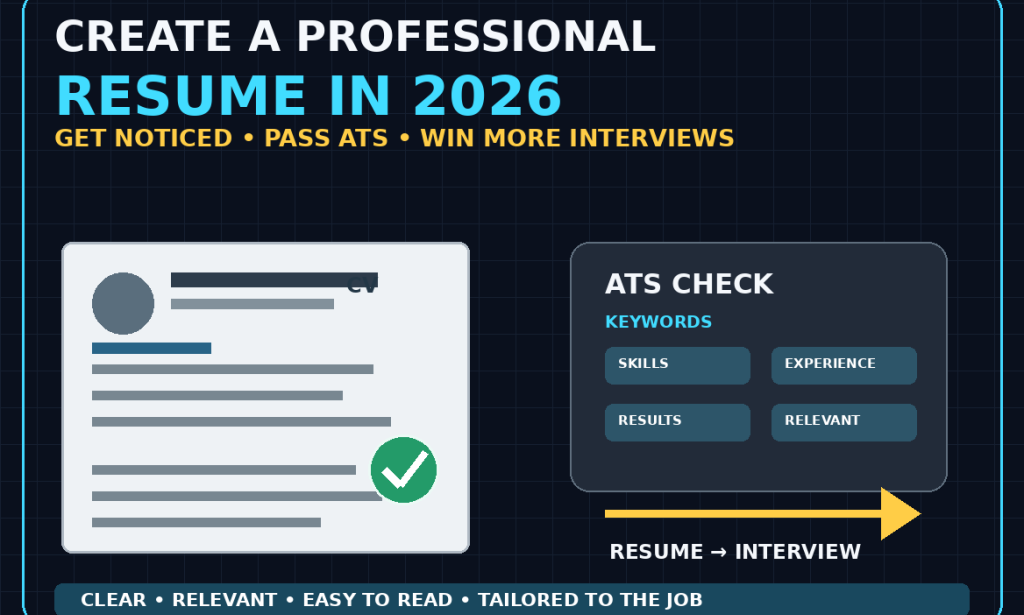
How to Create a Professional Resume That Gets More Interviews in 2026
A Complete Beginner-Friendly Guide
Your resume is often the first impression an employer gets from you.
Before you speak to a recruiter, attend an interview, or explain what you can do, your resume may have to convince someone that you are worth considering.
That makes your resume more than a list of jobs.
A good resume should quickly answer three questions:
Who are you?
What can you do?
Why should the employer consider you?
In 2026, competition for many jobs can be strong, including remote and international positions. A clear, relevant, well-organized resume can help you communicate your value more effectively.
The good news is that you don't need an expensive resume-writing service.
You can create a professional resume yourself.
Here's how.
Step 1: Understand the Purpose of a Resume
Your resume isn't supposed to tell your entire life story.
Its purpose is to introduce your professional background and persuade the employer to move you to the next stage of the hiring process.
That next stage might be:
-
A phone call
-
A video interview
-
An assessment
-
A technical test
-
An in-person interview
-
Another stage of the hiring process
Think of your resume as a marketing document for your professional skills.
It should make it easy for the employer to understand your value.
Step 2: Choose a Clean Resume Format
A professional resume doesn't need complicated graphics.
In many cases, simple is better.
Use:
-
Clear headings
-
Consistent spacing
-
Easy-to-read fonts
-
Short paragraphs
-
Bullet points
-
Logical sections
-
Consistent dates
-
Enough white space
Avoid excessive decorations that make the document difficult to read.
Your goal is clarity.
Step 3: Put Your Contact Information at the Top
Start with the information an employer needs to contact you.
Include:
Full name
Phone number
Professional email address
Location
LinkedIn profile, if relevant
Portfolio or website, if relevant
You don't necessarily need to include your full street address.
For many applications, your city and country are enough unless the employer specifically requests additional information.
Step 4: Use a Professional Email Address
Your email address should look professional.
For example:
is generally better than:
If your current email address looks unprofessional, creating a new one for job applications is easy and free.
Step 5: Write a Strong Professional Summary
The professional summary is a short introduction near the top of your resume.
It should quickly communicate:
-
Your professional area
-
Your experience level
-
Your strongest skills
-
The type of value you provide
For example:
Customer support professional with experience assisting customers through email, chat, and phone. Skilled in problem-solving, communication, CRM tools, and resolving customer issues efficiently.
That's much stronger than:
I am a hardworking person looking for a job.
The first example tells the employer what the applicant can contribute.
Step 6: Keep the Summary Relevant
Don't write a generic summary that could belong to anyone.
If you're applying for a marketing position, emphasize marketing-related skills.
If you're applying for customer support, emphasize communication and problem-solving.
If you're applying for a developer position, emphasize your technical skills and projects.
The closer your summary is to the job, the more useful it becomes.
Step 7: Focus on Results, Not Just Responsibilities
This is one of the biggest improvements you can make.
Weak:
Responsible for managing customer emails.
Better:
Managed customer email inquiries and helped resolve common account and service issues.
Even better when you have measurable results:
Managed a high volume of customer email inquiries while maintaining fast response times and strong customer satisfaction.
Whenever possible, explain what you did and what happened as a result.
Step 8: Use Numbers When They Are Real
Numbers can make achievements easier to understand.
For example:
Instead of:
Managed social media accounts.
You might write:
Managed social media content across three platforms and increased monthly engagement by 35%.
Instead of:
Helped customers.
You might write:
Assisted more than 50 customers per day with account and product questions.
Only use numbers that are accurate.
Never invent statistics to make your resume look more impressive.
Step 9: Write Better Work Experience Descriptions
For each relevant position, include:
Job title
Company
Location, where appropriate
Dates
Then use bullet points describing your responsibilities and achievements.
Try to avoid long blocks of text.
A recruiter should be able to scan your experience quickly.
Step 10: Use Strong Action Words
Instead of repeatedly starting bullets with:
Responsible for...
use stronger verbs.
Examples include:
-
Managed
-
Created
-
Developed
-
Improved
-
Coordinated
-
Designed
-
Analyzed
-
Organized
-
Led
-
Supported
-
Implemented
-
Researched
-
Produced
-
Increased
-
Reduced
-
Delivered
For example:
Weak:
Responsible for creating reports.
Stronger:
Created weekly performance reports to help the team track key business metrics.
Step 11: Put Your Most Relevant Experience First
You don't need to give every previous job equal space.
If you're applying for a writing position, your writing experience matters more than an unrelated temporary job from many years ago.
Prioritize experience that demonstrates the skills required for the position.
Step 12: Include Relevant Skills
Create a dedicated skills section.
Examples:
Technical Skills
-
Microsoft Excel
-
Google Sheets
-
WordPress
-
HTML
-
SQL
Professional Skills
-
Customer service
-
Project coordination
-
Research
-
Communication
-
Problem-solving
Creative Skills
-
Graphic design
-
Video editing
-
Copywriting
-
Content creation
Don't list every skill you've ever heard of.
Only include skills you can genuinely demonstrate.
Step 13: Understand Resume Keywords
Many employers use applicant tracking systems, commonly called ATS, to help organize and filter applications.
A simple way to make your resume more useful is to pay attention to the actual language used in the job description.
Suppose the job description says:
-
Customer relationship management
-
Microsoft Excel
-
Data analysis
-
Reporting
If you genuinely have those skills, use the appropriate terms in your resume.
Don't replace them with vague alternatives simply because they sound different.
Step 14: Never Stuff Keywords
Using relevant keywords is useful.
But filling your resume with dozens of unrelated terms isn't.
For example, don't add:
Python, Java, SQL, Photoshop, cybersecurity, SEO, accounting, engineering...
just because you think employers search for those words.
Everything on your resume should be truthful and relevant.
Step 15: Customize Your Resume for Each Job
One resume doesn't necessarily fit every position.
If you're applying for:
Customer Support Specialist
your resume should emphasize:
-
Communication
-
Customer service
-
Problem-solving
-
CRM tools
-
Conflict resolution
For:
Content Writer
emphasize:
-
Writing
-
Research
-
Editing
-
SEO
-
Content management
The basic resume can remain the same, but the emphasis should change.
Step 16: Read the Job Description Carefully
Before editing your resume, read the job description.
Look for:
-
Required skills
-
Preferred skills
-
Responsibilities
-
Experience requirements
-
Software
-
Qualifications
-
Industry terms
Then compare the requirements with your own background.
This helps you decide which experience deserves the most attention.
Step 17: Don't Lie About Your Experience
Never claim that you:
-
Worked somewhere you didn't
-
Used software you've never used
-
Earned a qualification you don't have
-
Managed a project you didn't manage
-
Achieved results you didn't achieve
A lie might get you an interview.
It can also get you rejected later.
Your resume should make your real abilities look as strong as possible without inventing anything.
Step 18: What If You Have No Experience?
You can still create a strong resume.
Focus on:
-
Education
-
Projects
-
Internships
-
Volunteer work
-
Freelance work
-
Personal projects
-
Relevant coursework
-
Certifications
-
Transferable skills
For example, if you're applying for a junior web-development position and have no professional experience, you could include websites you've built as personal projects.
Step 19: Use Projects as Experience
Personal projects can demonstrate initiative and practical ability.
For example:
Aspiring Web Developer
Personal Portfolio Website
-
Designed and developed a responsive website.
-
Created multiple pages using HTML and CSS.
-
Added interactive elements using JavaScript.
Aspiring Data Analyst
Sales Data Analysis Project
-
Cleaned a public dataset.
-
Analyzed sales trends.
-
Created charts to communicate findings.
-
Presented key observations.
Projects can show what you can actually do.
Step 20: Include Education Clearly
Your education section can include:
-
Degree
-
Diploma
-
School or institution
-
Field of study
-
Graduation year, where relevant
If you're a recent graduate, education may deserve more space.
If you have significant professional experience, your work history may be more important.
Step 21: Include Certifications Carefully
Certifications can be useful when they're relevant to the position.
For example:
-
Technology certifications
-
Professional certifications
-
Industry credentials
-
Relevant training
Don't fill your resume with dozens of unrelated certificates.
Quality and relevance matter more than quantity.
Step 22: Decide Whether to Include a Photo
Resume photo requirements vary significantly by country, industry, and employer.
In some places and industries, photos are common.
In others, they are generally unnecessary and may create concerns about bias or privacy.
Unless the employer or local professional norms clearly call for one, a photo is usually not essential.
Research the expectations for the specific job market you're applying to.
Step 23: Don't Put Your Age on the Resume Unless Appropriate
In most situations, your age isn't necessary.
Employers generally need to understand your qualifications, experience, and ability to perform the job.
Focus the document on professional information.
Step 24: Be Careful With Personal Information
Avoid unnecessarily exposing sensitive personal information.
You generally don't need to include:
-
Passwords
-
Bank information
-
Government account credentials
-
Authentication codes
-
Unrelated personal details
A resume should contain professional information relevant to the application.
Step 25: Keep the Resume Easy to Scan
Recruiters may review many applications.
Make their job easier.
Use headings such as:
Professional Summary
Work Experience
Skills
Education
Projects
Certifications
The exact sections can vary depending on your background.
Step 26: Choose the Right Resume Length
There isn't one universal rule that every resume must follow.
For someone early in their career, a concise one-page resume can often be enough.
More experienced professionals may need two pages to properly communicate relevant experience.
The important thing is to avoid unnecessary information.
Don't make your resume longer simply to make it look impressive.
Step 27: Remove Outdated Information
Your resume should evolve.
Review it regularly.
Remove:
-
Irrelevant old experience
-
Outdated skills
-
Unnecessary information
-
Weak descriptions
Add:
-
New achievements
-
Recent projects
-
Relevant skills
-
New responsibilities
-
Useful certifications
Your resume should represent your current professional abilities.
Step 28: Use Consistent Formatting
Check that:
-
Dates use the same format
-
Headings look consistent
-
Bullet points are aligned
-
Fonts are consistent
-
Spacing is consistent
-
Job titles are formatted consistently
Small formatting errors can make a resume look unfinished.
Step 29: Don't Overdesign Your Resume
A professional resume doesn't need:
-
Huge graphics
-
Multiple colors
-
Complicated charts
-
Decorative icons everywhere
-
Unusual fonts
-
Excessive columns
A clean layout usually communicates professionalism more effectively.
Step 30: Be Careful With Resume Templates
Templates can save time.
But don't choose a template simply because it looks impressive.
Ask:
Can someone read this quickly?
Can the important information be found easily?
Does the formatting work well when exported to PDF?
Does it remain readable if the employer uses an applicant tracking system?
A simple template is often safer than an extremely artistic one.
Step 31: Use Standard Section Names
Instead of creative headings like:
My Journey
use:
Work Experience
Instead of:
Things I'm Good At
use:
Skills
Clear terminology makes your resume easier to understand.
Step 32: Save the Resume Correctly
PDF is often a useful format because it preserves your layout.
However, always follow the employer's instructions.
If the application specifically requests a Word document or another format, follow those instructions.
Use a professional filename.
For example:
John_Smith_Resume.pdf
is better than:
resume_final_FINAL2.pdf
Step 33: Check Your Resume on a Phone
Before sending it, open the resume on different devices if possible.
Check whether:
-
Text is readable
-
Pages aren't broken
-
Links work
-
Formatting hasn't shifted
-
Nothing is cut off
A resume that looks perfect on your computer can sometimes look different elsewhere.
Step 34: Proofread Everything
A single spelling mistake may not automatically disqualify you.
But multiple errors can make your application look careless.
Check:
-
Spelling
-
Grammar
-
Dates
-
Company names
-
Job titles
-
Phone number
-
Email address
-
Website links
Read the document slowly rather than relying entirely on spell-checking software.
Step 35: Ask Someone Else to Review It
Another person may notice problems you don't see.
Ask them:
Is anything confusing?
Which part stands out most?
Does the resume clearly explain what I can do?
Are there unnecessary sections?
Did you notice any mistakes?
Even one outside review can be helpful.
Step 36: Make Your LinkedIn Profile Match
If you include a LinkedIn profile, make sure the information isn't wildly different from your resume.
Your:
-
Job titles
-
Dates
-
Skills
-
Professional summary
-
Projects
should generally tell a consistent story.
You don't need to copy the resume word for word.
But major contradictions can raise questions.
Step 37: Add a Portfolio When It Helps
If your profession is project-based, a portfolio can strengthen your application.
Consider one if you're applying for:
-
Design
-
Writing
-
Programming
-
Photography
-
Video editing
-
Marketing
-
Content creation
-
Architecture
-
Other creative or technical fields
The portfolio should contain your best relevant work.
Step 38: Write a Better Resume for Remote Jobs
If you're applying for remote positions, emphasize skills that demonstrate you can work effectively in a distributed environment.
Depending on the role, these might include:
-
Written communication
-
Time management
-
Organization
-
Collaboration
-
Digital tools
-
Independent problem-solving
-
Project management
Don't simply write:
I can work remotely.
Demonstrate the abilities that make remote work possible.
Step 39: Avoid Generic Phrases
Some resume phrases have become so common that they communicate very little.
Examples:
-
Hardworking
-
Team player
-
Go-getter
-
Results-oriented
-
Fast learner
-
Highly motivated
These aren't necessarily bad qualities.
The problem is that almost anyone can claim them.
Whenever possible, demonstrate the quality through evidence.
Instead of saying:
Excellent problem solver.
write:
Resolved recurring customer account issues and documented solutions for the support team.
Evidence is stronger than adjectives.
Step 40: Create a Master Resume
A useful strategy is to keep a complete master resume containing your:
-
Work history
-
Achievements
-
Skills
-
Projects
-
Education
-
Certifications
Then create shorter, customized versions for specific applications.
This saves time.
Example Resume Structure
A simple professional resume could look like this:
JOHN SMITH
City, Country | Phone | Email | LinkedIn
PROFESSIONAL SUMMARY
Two to four sentences describing your professional background, strongest skills, and relevant value.
WORK EXPERIENCE
Job Title — Company
Dates
-
Achievement or responsibility
-
Achievement or responsibility
-
Achievement or responsibility
Previous Job — Company
Dates
-
Achievement or responsibility
-
Achievement or responsibility
SKILLS
-
Skill
-
Skill
-
Skill
-
Skill
PROJECTS
Project Name
-
What you built or accomplished
-
Tools used
-
Result
EDUCATION
Qualification — Institution
Year
CERTIFICATIONS
Relevant certification — Issuing organization
This is only a structure.
Your own resume should reflect your actual background.
Resume Mistakes That Can Hurt Your Application
Avoid:
1. Spelling mistakes
Proofread carefully.
2. Huge blocks of text
Use concise bullet points.
3. One generic resume for everything
Customize it.
4. Unrelated information
Prioritize relevance.
5. Fake achievements
Stay truthful.
6. Too much design
Keep it readable.
7. Missing contact information
Make it easy to reach you.
8. Unprofessional email address
Create a professional one if necessary.
9. No evidence of your abilities
Include projects or achievements where possible.
10. Sending the wrong file
Check the employer's instructions.
A Simple Resume Improvement Formula
For every major experience bullet, ask:
What did I do?
How did I do it?
What was the result?
For example:
Created a customer FAQ system that helped reduce repeated support questions.
That's more informative than:
Worked on customer support.
Your 2026 Resume Checklist
Before submitting your resume, check:
-
My name and contact details are correct.
-
My email address looks professional.
-
My summary matches the type of job I'm applying for.
-
My most relevant experience is easy to find.
-
My bullet points describe actual contributions.
-
I included relevant skills.
-
I used appropriate keywords from the job description.
-
I didn't exaggerate or invent anything.
-
My formatting is consistent.
-
My resume is easy to scan.
-
I removed unnecessary information.
-
My spelling and grammar are correct.
-
My links work.
-
My file is named professionally.
-
I followed the employer's file-format instructions.
-
I customized the resume for the position.
Final Thoughts
A professional resume doesn't need to be complicated.
It needs to be clear, relevant, truthful, and easy to understand.
Start by identifying the job you want.
Study the job description.
Then make sure your resume clearly demonstrates the skills and experience that matter for that position.
Focus on achievements rather than simply listing responsibilities.
Use relevant keywords naturally.
Keep your formatting clean.
Remove unnecessary information.
Proofread everything.
And don't forget that your resume is only one part of your job-search strategy.
Your skills, portfolio, professional profile, interview performance, networking, and application strategy can all contribute to your results.
The goal isn't to create the most beautiful resume on the internet.
The goal is to create a resume that makes a recruiter quickly understand:
What you can do, what you've accomplished, and why you're worth interviewing.
Take the time to create that kind of resume, customize it for the jobs you want, and keep improving it as your experience grows.

You must be logged in to post a comment.