
How to Create a YouTube Channel in 2026: A Beginner's Step-by-Step Guide
Starting a YouTube channel is one of the easiest ways to establish an online presence, share your knowledge, entertain people and potentially earn money from your creativity.
The good news is that you don't need expensive equipment or a professional studio to get started. A smartphone, an internet connection and a Google account are enough to create your first channel.
In this guide, we'll explain how to create a YouTube channel step by step.
1. Create a Google Account
Before creating a YouTube channel, you need a Google account.
If you already have a Gmail account, you can use it. Otherwise:
1. Visit Google's account creation page.
2. Select Create Account.
3. Enter your name and other required information.
4. Choose a Gmail address and password.
5. Complete the verification process.
Your Google account gives you access to YouTube and other Google services.
1. Open YouTube and Sign In
After creating your Google account:
1. Visit www.youtube.com.
2. Click Sign In.
3. Enter your Google account details.
4. Click your profile picture.
5. Select Create a Channel.
You will be prompted to choose your channel name and handle.
1. Choose a Good YouTube Channel Name
Your channel name is part of your online identity. Choose something simple, memorable and relevant to the type of content you intend to publish.
For example:
· Entertainment and reactions.
· Education and tutorials.
· Technology reviews.
· Lifestyle and personal experiences.
· Business and finance.
Avoid complicated names that viewers may find difficult to remember or spell.
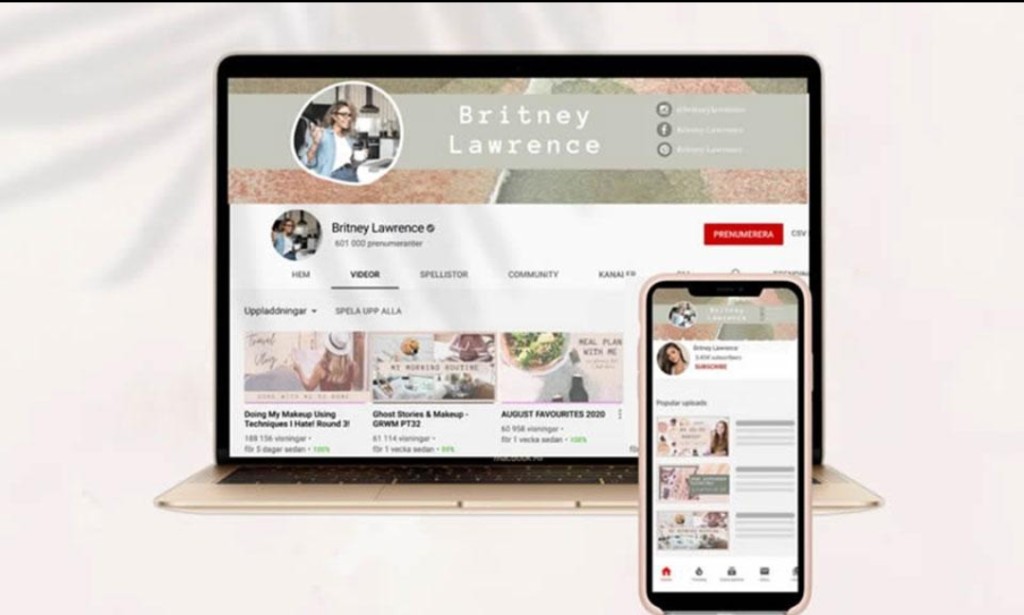
1. Add a Profile Picture and Channel Banner
Your profile picture and banner help establish your channel's identity.
Your profile picture could be your personal photograph, a logo or a brand image.
Your banner should communicate what viewers can expect from your channel.
Make sure your images look good on both mobile phones and computers.
1. Write an Attractive Channel Description
Your channel description should briefly explain:
· Who you are.
· What your channel is about.
· What viewers can expect.
· How often you intend to upload videos.
Use relevant keywords naturally so viewers can understand your channel's content.
1. Verify Your YouTube Channel
Channel verification gives access to additional YouTube features.
Visit YouTube Studio and check the feature eligibility section. Follow the instructions to verify your phone number where required.
Some advanced features may require additional verification through channel history or identity verification.
1. Upload Your First Video
Now comes the exciting part!
To upload your first video:
1. Open YouTube.
2. Tap the Create (+) button.
3. Select Upload a video.
4. Choose a video from your device.
5. Add a title and description.
6. Select an appropriate thumbnail.
7. Set the audience classification.
8. Choose whether to publish immediately or schedule the video.
Before publishing, make sure your video follows YouTube's Community Guidelines and copyright policies.
1. Install YouTube Studio
YouTube Studio is an important tool for managing your channel.
It allows you to:
· Monitor subscribers and views.
· Check watch time.
· Study audience engagement.
· View estimated revenue when monetized.
· Manage comments.
· Edit video details.
· Track your channel's performance.
You can download the YouTube Studio app from the Google Play Store.
1. Start Growing Your Channel
Creating a channel is only the beginning. Growing it requires consistency and a good content strategy.
Here are some useful tips:
· Upload original and interesting content.
· Use attractive thumbnails.
· Write clear and searchable video titles.
· Publish Shorts to reach new audiences.
· Engage with your viewers through comments.
· Study your analytics to understand what works.
· Avoid buying subscribers or views.
1. Work Towards YouTube Monetization
Once your channel is established, you can work towards joining the YouTube Partner Program.
The main advertising revenue eligibility requirements are generally 1,000 subscribers and either 4,000 valid public watch hours in the previous 12 months or 10 million valid public Shorts views within 90 days.
YouTube also has an earlier eligibility level for certain monetization features in supported countries.
Remember that reaching the required numbers does not guarantee approval. Your channel must also meet YouTube's monetization policies.
Conclusion
Creating a YouTube channel in 2026 is straightforward, but building a successful one requires dedication, patience and creativity.
You don't have to wait until you own an expensive camera or professional equipment. Start with what you have, improve your content gradually and remain consistent.
Your YouTube journey can begin today!


You must be logged in to post a comment.